
Reply to Instagram comments
automatically
Chatterly watches the comments on your Instagram posts, replies automatically based on the keywords you define, and starts personalized DM flows.
How it works
Setting it up takes a few minutes. After that it keeps running while you sleep.
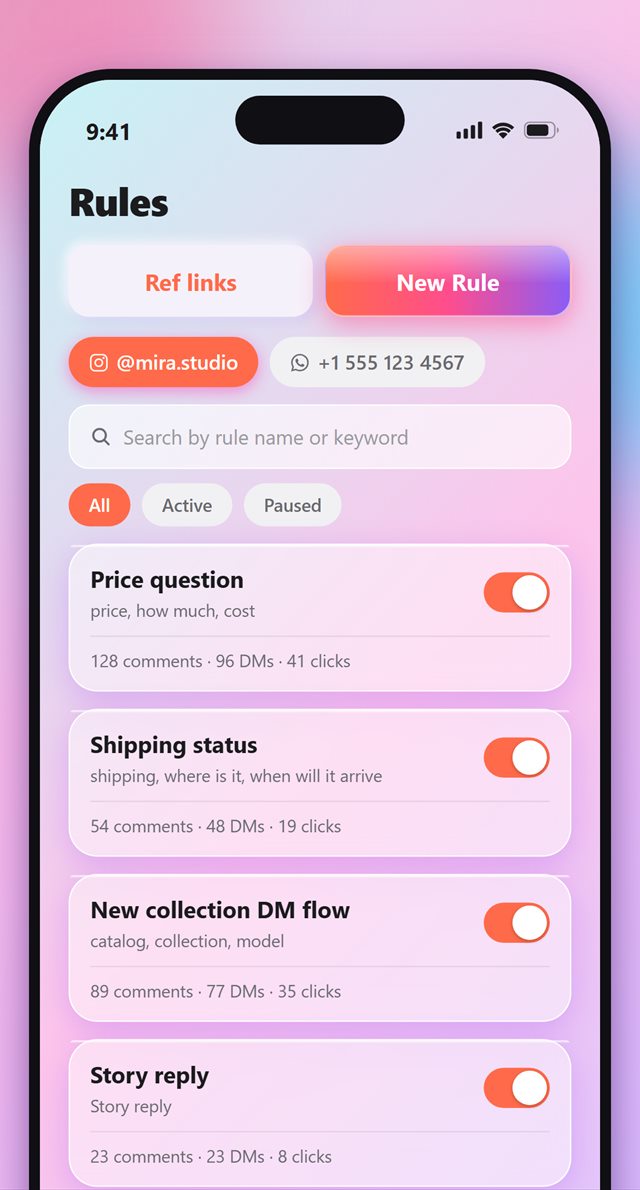
Create your rule
Decide which keyword on which post triggers what. Run as many rules as you like on a single account, and switch each one on or off with a tap.
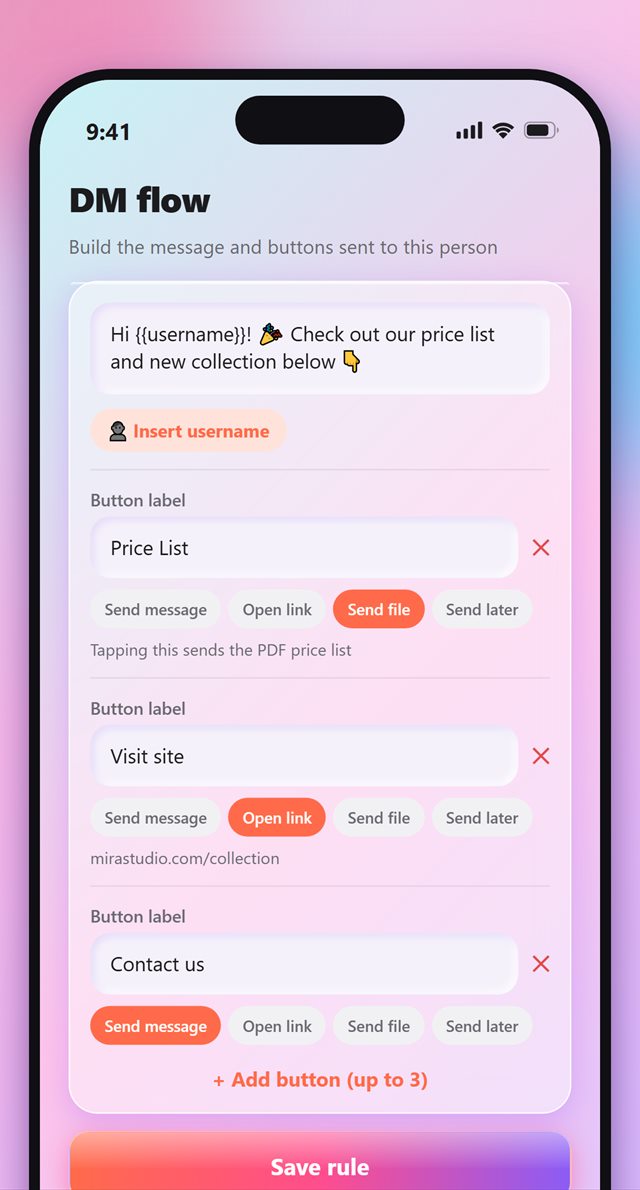
Design a DM flow with buttons
Write the message, drop in the person's username automatically, and add buttons underneath: send a price list PDF, open your site, or keep the conversation going.
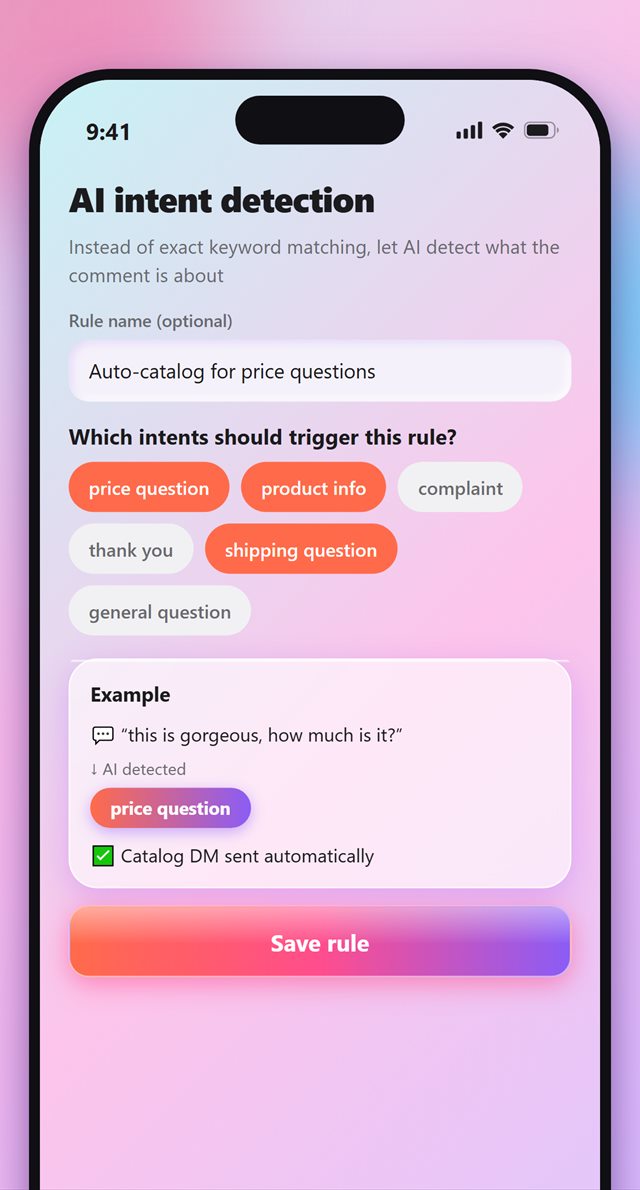
Match intent, not just words
You don't have to rely on exact keywords. AI reads whether a comment is a price question, a shipping question or a complaint, then fires the right rule.
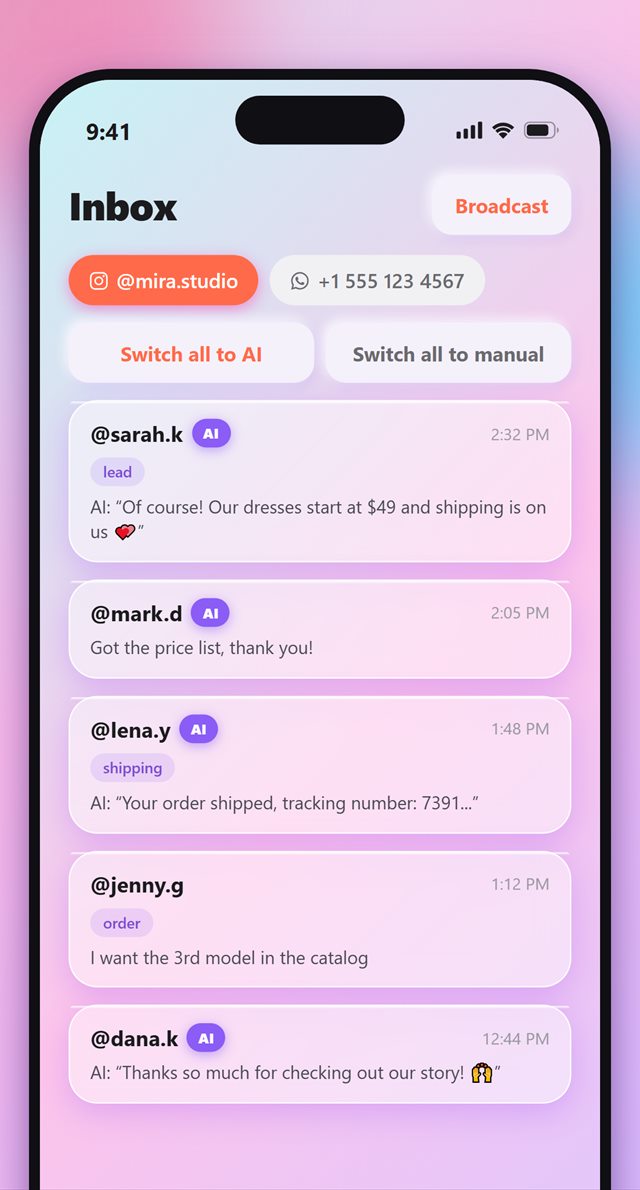
Handle your inbox
Every DM lands in one place. Hand a conversation over to AI, answer it yourself, or send a single message to all of them at once.
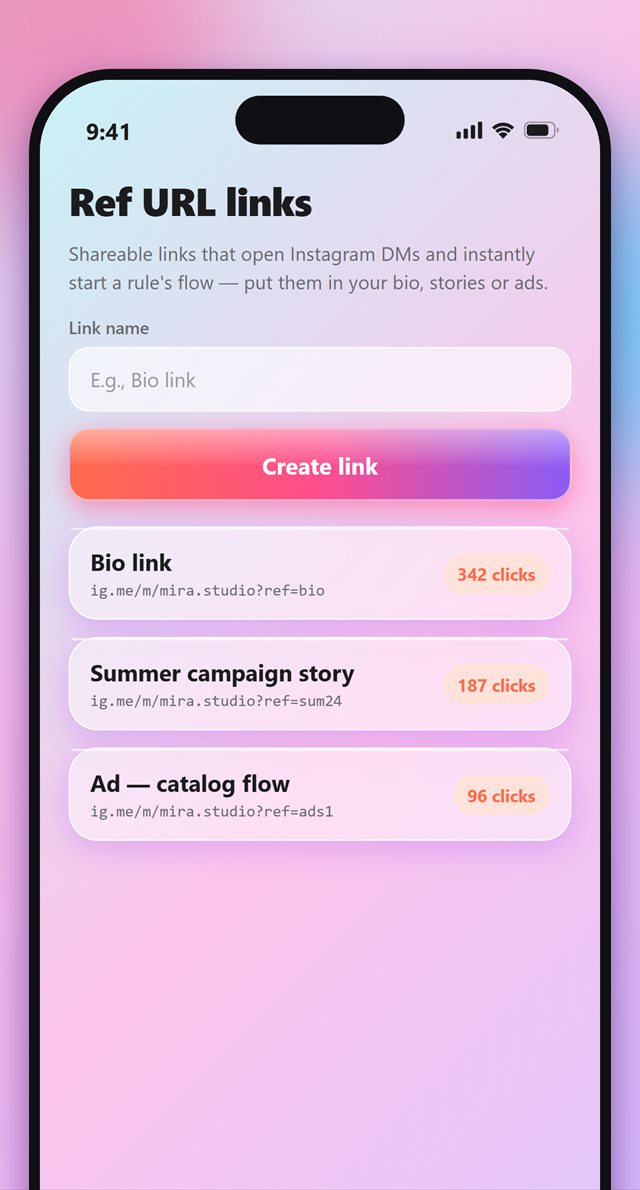
Start the flow from anywhere
Generate a link for your bio, a story or an ad. Whoever taps it lands straight in your DMs with the flow already running — no comment needed.
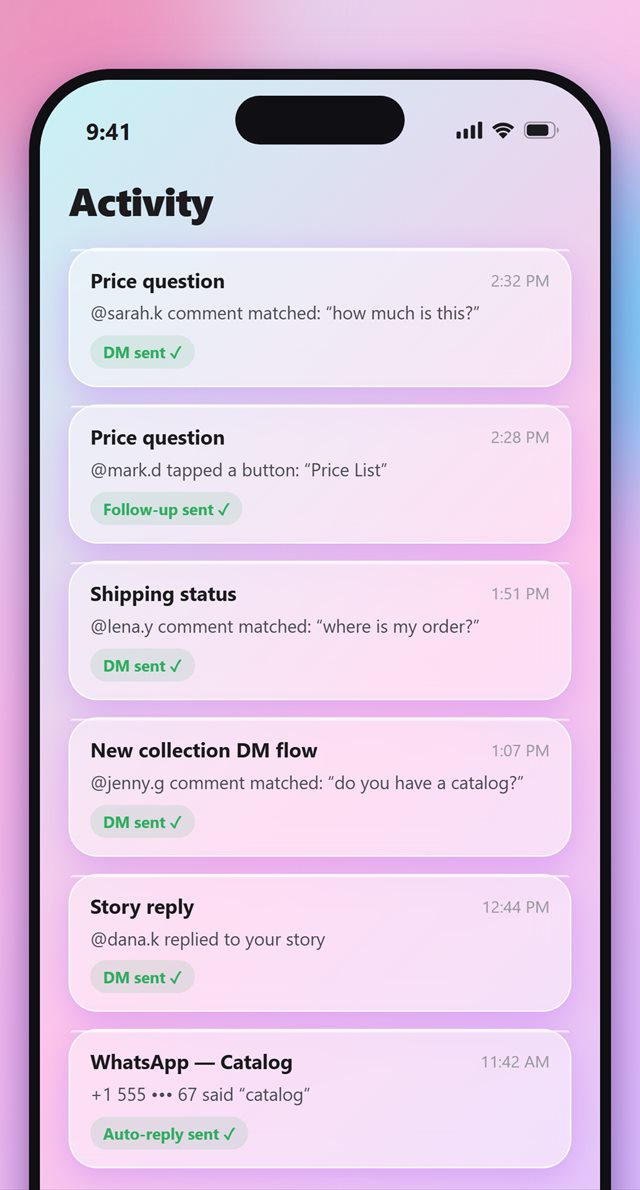
See exactly what happened
Which comment matched which rule, what was sent to whom, whether it was delivered — every event, listed with its timestamp.
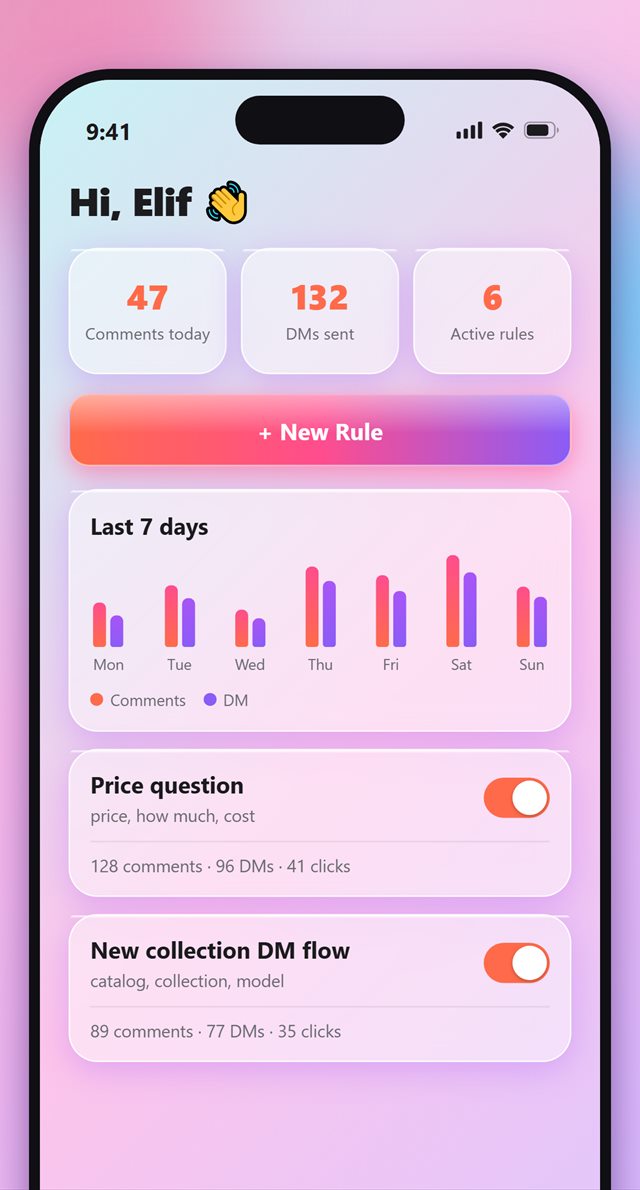
Track the results
Comments received today, DMs sent, how often each rule fired. All on the home screen, at a glance.